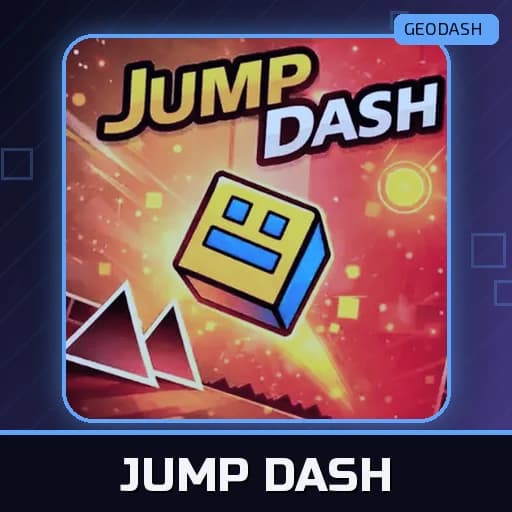
Jump Dash
Jump a yellow cube past spikes and traps across 80 levels, reach the exit portal, and design your own courses in the built-in level editor.
How to play
- Left mouse button – jump
- Spacebar – jump (optional)
- Mobile – tap the screen to jump
About Jump Dash
A funny-looking yellow cube, 80 obstacle courses and a level editor: Jump Dash by GameBiz is one of the more generous cube runners around. The cube moves forward by itself; you make it jump. Hit any dangerous object and the level starts over from the beginning.
Controls
- Left mouse button – jump
- Spacebar – jump (optional)
- Mobile – tap the screen to jump
Getting Through a Level
Each course ends at a portal. Spiky objects and traps kill you on contact, but harmless blocks are safe to land on and are often the only way past a tricky section. Some power-ups make your cube jump higher, so keep an eye out for them.
Build Your Own Course
From the main menu, open the Level Editor. Pick blocks, spikes, traps or power-ups, drag them onto the course, arrange your obstacle layout, then save and upload it to play. It is a good way to understand why some patterns feel unfair and others feel fun.
Tips
- Jump to the rhythm instead of reacting to what you see.
- Spot repeated patterns; many levels reuse a few building blocks.
- Practise hard sections until they feel automatic.
- Look ahead of your cube, not at it.
Questions
How many levels? 80, with varying difficulty.
Can I play on a phone? Yes, tap to jump.
More like this? Try Geometry Jump or Vex Hyper Dash.
Play Jump Dash Online
Jump Dash runs in the browser with no download, on computers and phones. Its long list of levels makes it a game you can keep coming back to, and the level editor means you will never run out of courses. Start with the first few levels to learn how high and how far the cube jumps; that sense of distance is what carries you through the harder stages later on. If a section keeps beating you, stop for a moment and watch where the safe blocks are placed before you try again.
GeoDash Arcade is an independent fan site. It is not affiliated with or endorsed by RobTop Games, the maker of Geometry Dash. This game belongs to its developer and is embedded from a third-party game host.
Independent fan site, not affiliated with RobTop Games. About