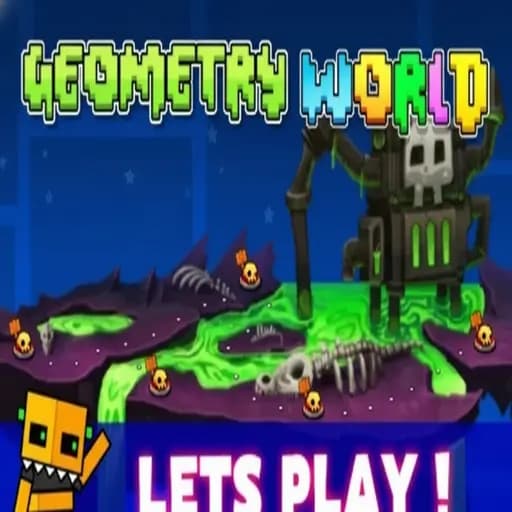
Geometry World
Step into a new dimension. Geometry World offers expanded levels and fresh adventures. Jump through vibrant worlds and beat the high score!
How to play
- Click, Space or Up Arrow: jump, or trigger the current form’s action.
- Hold: needed for the ship and wave, which rise while held and fall when released.
- Touch screens: tap or hold anywhere.
Use whichever input feels most precise for you. Many players find the Space bar more consistent than a laptop trackpad. Our guide to reducing input lag explains why and how to test it.
About Geometry World
Ten short levels, two themed worlds, and a difficulty curve that rises gently enough for newcomers. Geometry World is the bite-sized cousin of the main dash game: the stages are shorter, the pace is forgiving at first, and the final level is a genuine test.

How the Levels Are Organised
The levels are split across two worlds of five stages each. The first world leans on cube and ship sections and teaches you to read jump pads and orbs; the second introduces more form switches and faster passages. The last stage, often named by players as the hardest in the set, is “Monster Dance Off”, which strings together everything the earlier levels taught.
Because every level is short, you see the end of a stage much sooner than in a full-length level. That makes Geometry World a good place to build the habit of finishing runs rather than just surviving the first half.
Controls at a Glance
- Click, Space or Up Arrow: jump, or trigger the current form’s action.
- Hold: needed for the ship and wave, which rise while held and fall when released.
- Touch screens: tap or hold anywhere.
Use whichever input feels most precise for you. Many players find the Space bar more consistent than a laptop trackpad. Our guide to reducing input lag explains why and how to test it.
Five Mistakes New Players Make
- Jumping on sight instead of on rhythm. Obstacles follow the beat; reacting to visuals alone makes you late.
- Holding the ship button too long. The ship climbs fast. Short holds keep it centred.
- Ignoring jump orbs. Orbs only fire if you tap while touching them. Missing one usually means a crash a second later.
- Skipping early levels. The first world teaches patterns that return later at higher speed.
- Grinding while frustrated. Repeated angry attempts reinforce bad timing. Stop after a string of early deaths.
Strategy by World
World one: focus on clean cube jumps and steady ship flight. Count beats out loud if it helps. Aim to finish each level once before chasing secrets.
World two: form changes come quicker, so anticipate the portal. As you pass through, your next input already belongs to the new form. Use practice mode with a checkpoint just before each portal.
The final level: treat it as a series of mini-levels. Learn the opening thoroughly, then extend your best percentage a section at a time.
Who Will Enjoy It
Geometry World suits players who want quick sessions, younger players learning the genre, and anyone who finds full-length levels intimidating. Note that there is no level editor here; this is a fixed set of stages.
If you want longer levels afterwards, step up to Geometry Dash. If the ship sections were your favourite part, the pure-flight challenge of Space Waves is a natural follow-up.
Common Questions
Can I make my own levels?
No. Geometry World has a fixed set of levels and no editor.
How long does it take to finish?
It depends on your experience. Beginners may need several sessions for the second world.
Independent fan site, not affiliated with RobTop Games. About